
- 1. An 850W PSU does not mean constant 850W use
- 2. Build a realistic 24-hour schedule
- 3. Calculate gaming PC electricity cost
- 4. Measure the setup boundary you want to price
- 5. Compare changes without promising fixed savings
- 6. Calculate your own daily pattern
- Gaming PC electricity cost: common questions
- Use the same meter boundary in every mode
- What would this cost in your home?
- How to measure your own gaming PC
A gaming PC’s electricity cost depends on its actual power in each operating state and how long it spends there. A hypothetical setup using 1.471 kWh per day costs about $8.83 over 30 days at 20¢/kWh. That example includes a monitor and sleep/off consumption; it is not a benchmark for all gaming computers.
This guide separates idle, everyday work and gaming so you can model a mixed-use day. The schedule below turns explicit average wall-input assumptions into daily kWh and cost. To adapt it, measure the same complete setup in each state; a PSU rating or component telemetry cannot substitute for whole-system wall input.
1. An 850W PSU does not mean constant 850W use
A power supply’s rated output is its capacity, not a meter reading of your computer’s everyday electricity use. Components draw different amounts as workloads change. PSU selection also needs headroom: CORSAIR’s PSU sizing explanation considers CPU, GPU, other components and transient loads. That sizing recommendation is not a household energy bill estimate.
Also distinguish component-side power from wall input. The PSU has conversion losses. If the components use 300W and the PSU is hypothetically 90% efficient at that load, wall input is 300 ÷ 0.90 = about 333W. See CORSAIR’s efficiency explanation. If you already measure wall power, do not add PSU losses again.
2. Build a realistic 24-hour schedule
Use average wall-input watts for each state. A game menu, frame-rate cap, GPU settings, CPU workload and background applications can change a reading. “Work” is especially broad: light document editing and sustained rendering should not be assigned the same number without measurement.
| State or device | Assumed watts | Hours/day | Daily kWh |
|---|---|---|---|
| PC idle | 60 | 1 | 0.060 |
| PC everyday work | 120 | 4 | 0.480 |
| PC gaming | 350 | 2 | 0.700 |
| PC sleep/off state | 3 | 17 | 0.051 |
| Monitor, separately | 30 | 6 | 0.180 |
| Total | — | 24 PC hours | 1.471 |
The monitor is listed separately because it may stay on during work or gaming while the PC’s load changes. In this article’s 30 W monitor example, six hours per day adds 5.4 kWh in 30 days, or about $0.98 at 18.16¢/kWh. If your display sleeps during breaks or is on a different schedule, use those actual hours instead. Plugging only the PC into a wall meter excludes the monitor; measuring a whole setup together includes it but makes the PC-only share harder to separate.
PC states are mutually exclusive and total 24 hours. Monitor hours overlap PC use, so they are added separately rather than counted against that 24-hour limit. Replace the 3W assumption with your measured sleep or shutdown value. This example excludes monitor standby, speakers, networking equipment, UPS losses and extra room cooling.
3. Calculate gaming PC electricity cost
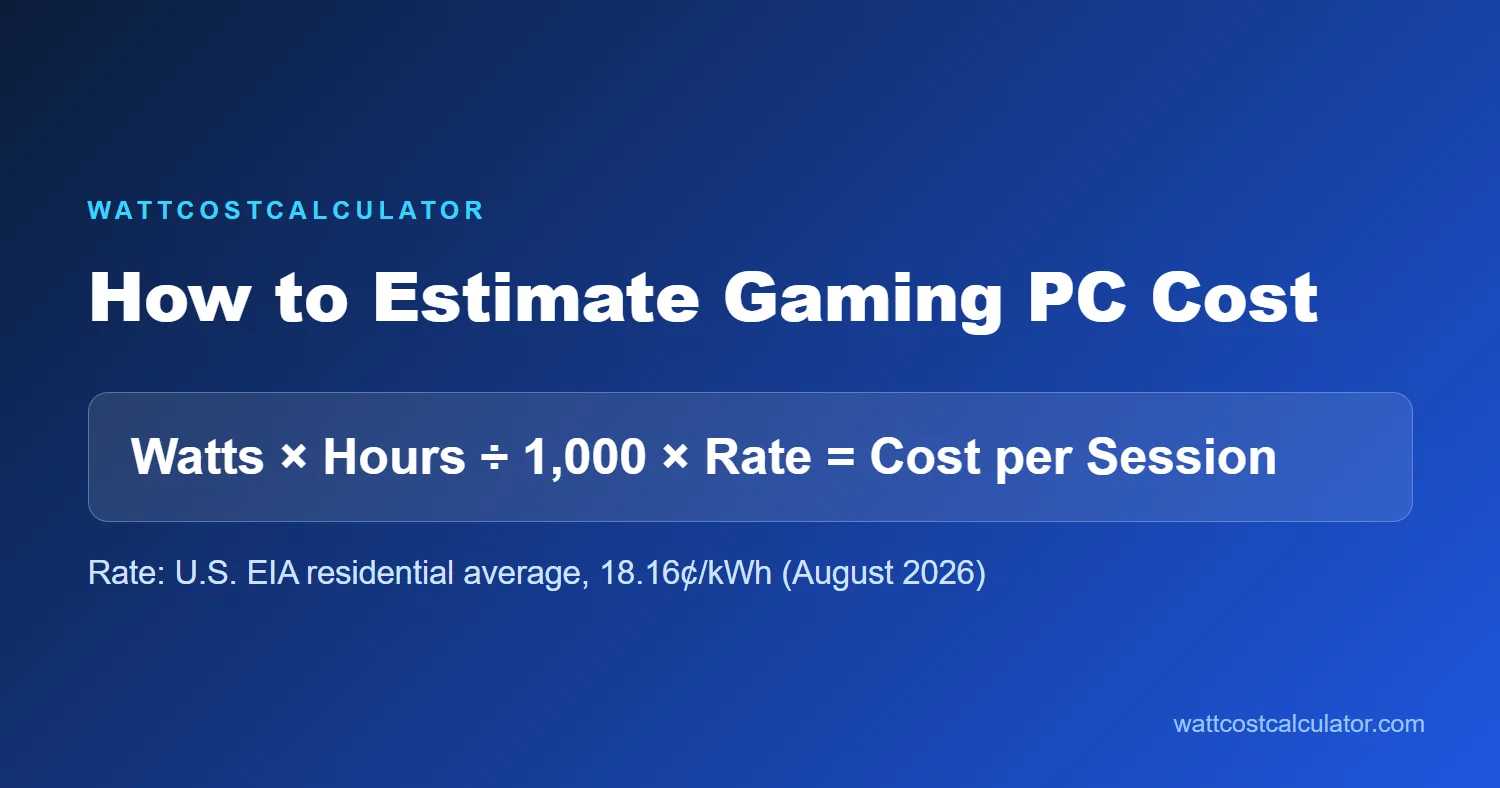
Daily kWh = sum of (state watts × state hours) ÷ 1,000, plus separately counted devices.
Cost = kWh × electricity price in dollars per kWh.
For the schedule above: (60 × 1 + 120 × 4 + 350 × 2 + 3 × 17 + 30 × 6) ÷ 1,000 = 1.471 kWh/day. At $0.20/kWh, that is $0.2942/day, $8.826 for 30 days and $107.383 for 365 days. Displayed costs round to cents only after calculation.
| Rate | Daily cost | 30-day cost | 365-day cost |
|---|---|---|---|
| 18.16¢/kWh | $0.27 | $8.01 | $97.50 |
| 20¢/kWh | $0.29 | $8.83 | $107.38 |
| 30¢/kWh | $0.44 | $13.24 | $161.07 |
These rates are examples, not current state averages. Use your tariff and the electric bill guide to choose a suitable unit rate. Time-of-use plans need separate calculations for the periods when work and gaming occur. Fixed fees, taxes and demand charges are excluded.
4. Measure the setup boundary you want to price
Use a suitable electricity monitor rated for the equipment and connection, following its instructions. Decide whether it measures the tower only or a complete setup. Never exceed a meter or power strip’s ratings. Software CPU/GPU readings may omit other components and conversion losses.
Record representative idle, work and gaming sessions rather than relying on a brief startup spike. For a complete daily estimate, accumulated kWh over several normal days can be more useful than a momentary watt reading. The Department of Energy’s standby measurement guidance also distinguishes stable readings from devices whose power changes over time.
If your meter includes both tower and monitor, set the calculator’s separate monitor watts to zero. Otherwise you would count it twice. Record the measurement duration, workload and which devices were connected.
5. Compare changes without promising fixed savings
In our fictional schedule, reducing gaming input from 350W to 200W for two hours saves 0.300 kWh/day. At 20¢/kWh, that is $1.80 over 30 days. Whether a frame cap or settings adjustment achieves that change depends on your hardware and game; measure both performance and energy.
Likewise, replacing 17 assumed hours of 60W idle with 3W sleep reduces energy by 0.969 kWh/day, worth about $5.81 over 30 days at the same rate. Only make this change when background jobs, remote access and updates allow it. DOE’s computer efficiency guidance discusses power management. Do not treat a percentage from one configuration as guaranteed for yours.
6. Calculate your own daily pattern
The widget accepts four PC states and a separate monitor. PC hours must total no more than 24. If you assign fewer than 24 hours, the remaining hours are excluded; use the sleep/off fields to account for them. A zero monitor value excludes that device. The power figures are editable scenario assumptions; the rate starts at the EIA August 2026 U.S. residential average of 18.16¢/kWh, checked November 5, 2026.
For another household load, compare our refrigerator annual energy guide. The full electricity cost calculator is also available for a single power-and-hours scenario.
Gaming PC electricity cost: common questions
Does an 850 W power supply use 850 W all day?
No. 850 W is the unit’s rated output capacity. The computer draws power according to its workload, and wall input also reflects power-supply conversion losses. Use a wall meter to estimate the complete PC.
Should I include my monitor in the PC estimate?
Include it if you want the total desk setup and the meter reading does not already include it. If the wall meter covers both tower and display, set the separate monitor field to zero to avoid double-counting.
How should sleep and shutdown time be counted?
Measure the computer’s wall draw in the state you actually use. Sleep, hibernate, and shutdown can have different standby loads; use the measured watts and hours for that state rather than assuming zero.
Published October 20, 2026. Method: each scenario sums the stated wall-input watts multiplied by hours, then applies the selected electricity rate. Starting wattages are editable assumptions, not measurements of a particular setup.
Use the same meter boundary in every mode
Record the wall draw of the same tower and display during idle, work and gaming. If the monitor is switched off in one state, note that choice before comparing. Multiply each average draw by its own daily hours, add the kWh and apply the variable rate from your bill.
What would this cost in your home?
Adjust the starting values to match your appliance and electricity plan.
Related reading: For hardware-specific gaming estimates, see our RTX 5080 versus RTX 3080 electricity comparison; laptop versus desktop costs cover an office-use contrast.
Disclaimer: The figures on this page use statewide or standardized averages and the inputs shown. They are for general information only, not a utility quote, a bill, or financial advice. Check your own electricity bill and the official EIA or manufacturer sources for current figures.
At 1.47 kWh a day, this setup costs about 27 cents a day at 18.16¢/kWh, which comes to about $8.83 a month or roughly $107 a year. Idle time and sleep mode usually change the total more than peak gaming does.
How to measure your own gaming PC
Connect the PC to a plug-in watt meter and record the average watts during a typical game session and during idle. Multiply the average watts by your hours of use, then by your electricity rate. Monitor and speakers draw power too, so measure them separately if you want the full setup.

Cat Water Fountain Electricity Cost: Monthly Cost by Pump Wattage
A cat water fountain costs about $0.13 to $0.39 a month at 18.16¢/kWh if its pump runs 24 hours at 1 to...

CPAP Machine Electricity Cost: Heated Humidifier & Heated Tube Impact
Running a CPAP machine for 8 hours a night costs roughly $0.65 per 30-day month ($7.95/year) with humidification off, or $2.58 per...

Christmas Lights Electricity Cost: LED vs. Incandescent Holiday Displays
Lighting 600 incandescent mini Christmas bulbs for 6 hours a night costs roughly $7.85 per 30-day month at 18.16¢/kWh, whereas an equivalent...

Robot Vacuum & Auto-Empty Wash Dock Electricity Cost: Charging vs. Hot-Air Drying
A basic charging-only robot vacuum costs roughly $0.46 per 30-day month ($5.62/year) at 18.16¢/kWh, while an all-in-one mop-washing and hot-air drying station...