
- What this comparison includes
- Eight-hour daily use: monthly and yearly examples
- Adjust for a normal work calendar
- How to measure your own setup
- Estimate a desktop workday with your own rate
- Check a workday rather than a charger label
- Your actual workday electricity budget
- Separate the charger rating from the desk total
- Sleep settings can matter more than a small hardware difference
- Frequently asked questions
- Sources and calculation notes
- Estimate the cost with your own inputs
- What would this cost in your home?
Laptop vs desktop electricity cost depends on the power your complete setup actually draws, how many hours you use it, and your electricity rate. Using illustrative wall-power inputs of 40 watts for a laptop, 65 watts for a laptop with an external monitor, and 150 watts for a desktop tower with a monitor, an eight-hour workday costs about $1.74, $2.83, and $6.54 per 30 days, respectively, at 18.16¢/kWh. These are examples, not measurements of every computer.
If you work from home, the useful comparison is not the wattage printed on a laptop charger against the power supply rating on a desktop. Those labels describe equipment limits. A plug-in meter at the wall can show the energy used by your actual setup, including a monitor when you include it.
What this comparison includes
The examples below assume eight hours of use each day and use the August 2026 U.S. residential average electricity price reported by the U.S. Energy Information Administration (EIA): 18.16 cents per kilowatt-hour. It is a dated national reference, not a quote for your utility. Your bill’s energy rate, delivery charges, time-of-use period, and taxes can change the result.
We use three rounded wall-power scenarios:
- 40 W: laptop by itself during ordinary work.
- 65 W: laptop plus one external monitor.
- 150 W: desktop tower plus one monitor during ordinary office work.
These are calculation scenarios chosen to make the math easy to compare, not claims about typical device measurements. Brightness, processor activity, peripherals, battery charging, and monitor size all affect real draw. A desktop with a high-power graphics card can use much more under demanding workloads; this guide focuses on office work rather than gaming.
Eight-hour daily use: monthly and yearly examples
| Example setup | Wall-power input | Energy per day | 30-day cost | 365-day cost |
|---|---|---|---|---|
| Laptop only | 40 W | 0.32 kWh | $1.74 | $21.21 |
| Laptop plus one monitor | 65 W | 0.52 kWh | $2.83 | $34.47 |
| Desktop tower plus one monitor | 150 W | 1.20 kWh | $6.54 | $79.54 |
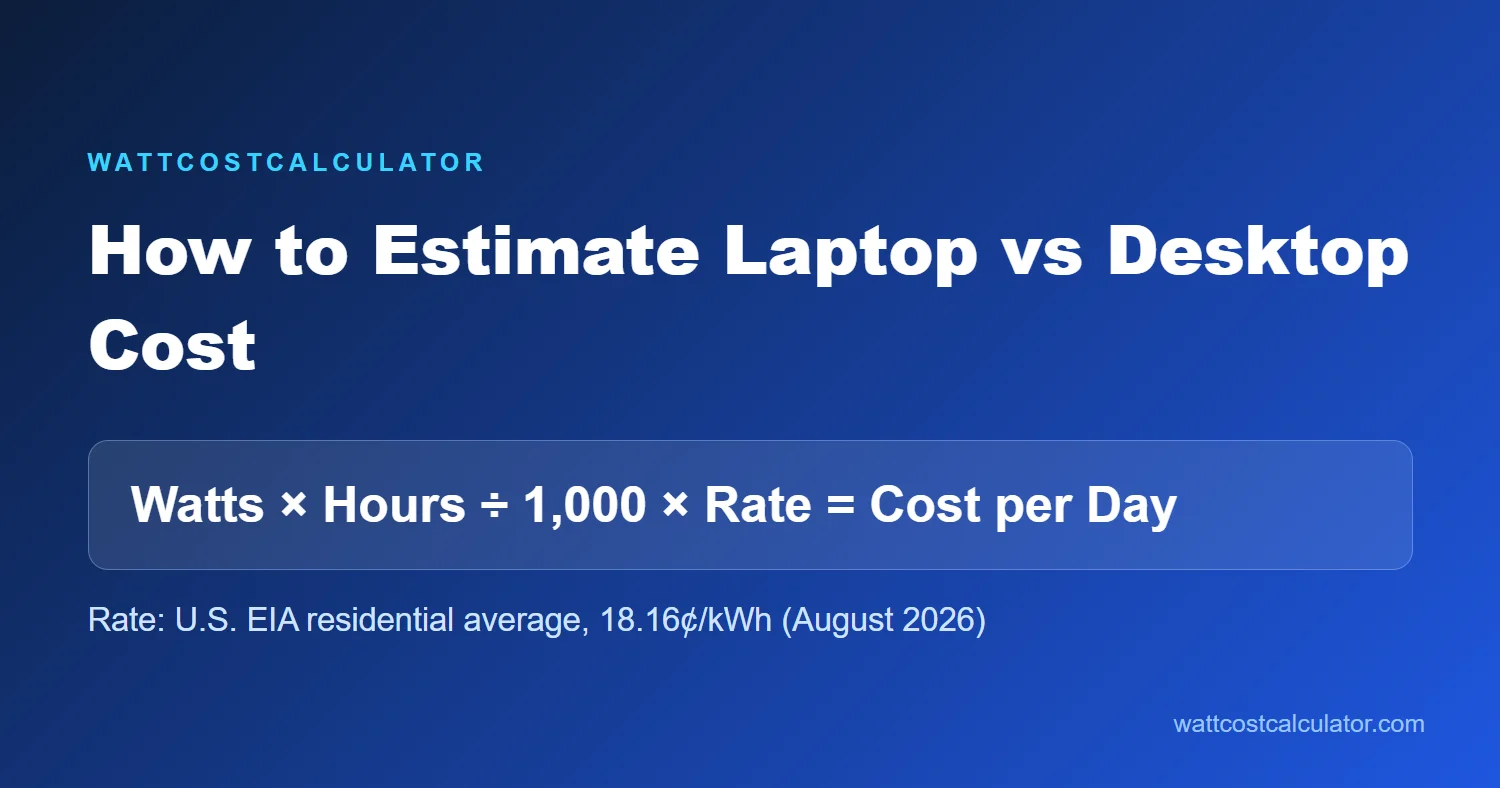
For the desktop example, 150 W × 8 hours ÷ 1,000 = 1.2 kWh per day. Multiply by 30 days and by $0.1816 per kWh for an estimated $6.54 energy charge. The 365-day estimate assumes the same eight-hour schedule every day. A fixed monthly work schedule will cost less.
Adjust for a normal work calendar
If you work at the computer 22 weekdays per month instead of every day, the 65 W laptop-and-monitor example uses 11.44 kWh and costs about $2.08 per 22-workday month. The 150 W desktop example uses 26.4 kWh and costs about $4.79. That is a difference of about $2.72 for the month, or about $32.11 over 260 workdays.
This comparison shows why choosing a computer on electricity cost alone can be misleading: for these illustrative office setups, the gap is modest. Purchase price, performance, repairability, battery use, and whether you already own a monitor may matter more. Measure your equipment if the difference would affect your decision.
How to measure your own setup
- Use a plug-in energy meter that matches your outlet and is rated for the load. Connect the computer and, if desired, its monitor and peripherals to the meter.
- Let startup tasks settle, then record the reading during a representative work session. A meter that accumulates kWh over several hours is more useful than a single momentary watt reading when power fluctuates.
- Keep the setup consistent. If you want the computer-only number, do not include the monitor. If you want the whole desk cost, include the display and equipment you normally leave on.
- Enter the measured average watts, your hours of use, and your bill’s rate in the calculator. If your meter reports kWh for a known period, convert it to average watts: kWh × 1,000 ÷ hours.
The adapter’s maximum output is not the same as the laptop’s continuous draw. Likewise, a desktop power supply’s rated capacity is not a meter reading. For a laptop, the meter may also show battery charging, so compare readings with the battery full and charging if you want to understand the difference.
Estimate a desktop workday with your own rate
Start with the 150 W desktop-and-monitor scenario and choose your actual workdays per month. At 8 hours for 22 days, that is about $4.79 per month and $57.53 over twelve identical months (264 workdays). The calendar-day table above answers a different question: what if the setup is used every day?
Check a workday rather than a charger label
A 65 W laptop power adapter is a maximum rating, not a continuous reading. If a wall meter records 0.32 kWh across an eight-hour day, that day costs 6.4¢ at 20¢/kWh. Add a separate monitor or docking station only if the meter reading did not already include it.
Your actual workday electricity budget
Enter combined wall power for the computer, displays and dock. Workdays are separate from calendar days.
Rate reference: EIA August 2026 residential averages, released October 23; checked and reflected November 9, 2026. Examples are editable assumptions. Estimates cover entered electricity only. Method & limitations.Separate the charger rating from the desk total
A 750-W desktop power supply is a capacity rating, not a claim that office work consumes 750 W continuously. Likewise, a 65-W adapter does not make a laptop a constant 65-W load. Battery charging can overlap with work, then drop as the battery fills.
For a useful desk comparison, log one representative workday with the same monitors, brightness, dock and calls. If a USB-C display powers the laptop, avoid counting its upstream wall reading and the downstream laptop energy twice. I would check after-hours idle consumption before replacing a useful computer to save a small amount during office work.
Sleep settings can matter more than a small hardware difference
Hours left idle still count if the computer remains awake. Set the display and computer to enter sleep after a period of inactivity, then check that remote tasks or background apps do not keep the system awake. ENERGY STAR computer guidance describes efficiency across idle, sleep, and off modes and recommends enabling power management. Your own meter can show whether the setting changes your daily total.
For the broader distinction between office and gaming workloads, see our Gaming PC electricity cost guide and RTX 5080 vs. RTX 3080 power-cost comparison. For a 24/7 device, read the router, modem, and mesh Wi-Fi guide. You can also use the Appliance Electricity Cost Calculator with your actual rate.
Frequently asked questions
Does a laptop always use less electricity than a desktop?
Not in every configuration or task. Many office laptops use less power than a desktop setup, but the actual result depends on the processor, workload, display, accessories, and power settings. Compare measured whole-setup readings under the same task.
Should I use the wattage on my charger or power supply?
Use a wall-meter reading when possible. The adapter or power-supply label indicates a capacity or rating; it does not tell you how much electricity the computer draws during your workday.
Why is my bill higher than this estimate?
This estimate covers the energy charge based on the rate you enter. Your bill may also include delivery charges, fixed fees, taxes, tiered prices, or time-of-use rates. Use the relevant per-kWh rate from your bill and check how your utility applies additional charges.
Related reading: If your computer stays on beyond the workday, our 24/7 home AI server analysis explains why idle time matters.
Sources and calculation notes
- EIA, Average Price of Electricity to Ultimate Customers (August 2026 residential average: 18.16¢/kWh).
- ENERGY STAR, Computers (power-management and operating-mode guidance).
Calculation: watts × hours ÷ 1,000 = kWh; kWh × electricity rate in dollars = estimated energy charge. Costs are rounded to the nearest cent. Example power inputs are illustrative, not measured product specifications.
Estimate the cost with your own inputs
The 150 W starting point represents the article’s desktop setup over an eight-hour workday. Try 40 W for a laptop or 65 W for a laptop with an external monitor, including the equipment in your measured wall draw.
What would this cost in your home?
Adjust the starting values to match your appliance and electricity plan.

Cat Water Fountain Electricity Cost: Monthly Cost by Pump Wattage
A cat water fountain costs about $0.13 to $0.39 a month at 18.16¢/kWh if its pump runs 24 hours at 1 to...

CPAP Machine Electricity Cost: Heated Humidifier & Heated Tube Impact
Running a CPAP machine for 8 hours a night costs roughly $0.65 per 30-day month ($7.95/year) with humidification off, or $2.58 per...

Christmas Lights Electricity Cost: LED vs. Incandescent Holiday Displays
Lighting 600 incandescent mini Christmas bulbs for 6 hours a night costs roughly $7.85 per 30-day month at 18.16¢/kWh, whereas an equivalent...

Robot Vacuum & Auto-Empty Wash Dock Electricity Cost: Charging vs. Hot-Air Drying
A basic charging-only robot vacuum costs roughly $0.46 per 30-day month ($5.62/year) at 18.16¢/kWh, while an all-in-one mop-washing and hot-air drying station...