- Start with your printer’s power states
- What would this cost in your home?
- What the example costs actually mean
- Why sleep mode can matter more than a short print job
- How your state’s electricity price changes the estimate
- Three practical checks before changing settings
- My conclusion: optimize for the job you actually do
- Frequently asked questions
- Sources and calculation method
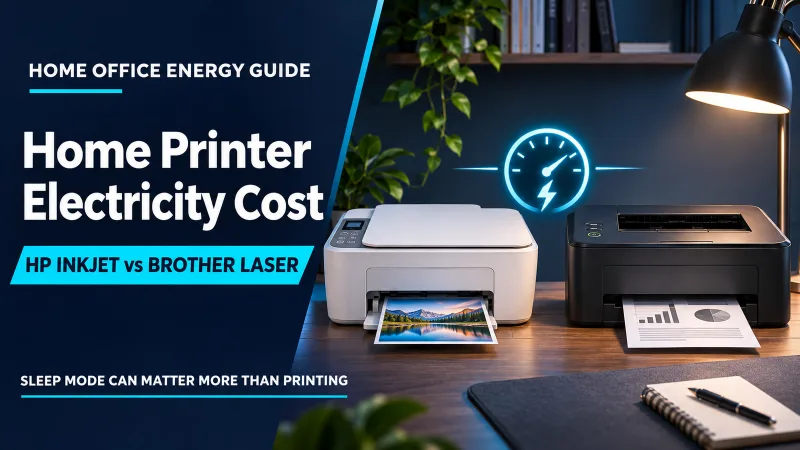
A lightly used HP OfficeJet Pro 9125e in the scenario below costs about $0.01 per day, $0.32 per 30-day month, and $3.95 per year in electricity. A Brother HL-L2405W laser printer, left in its listed 4-watt sleep mode and printing for 30 minutes per week, comes to about $0.54 per month or $6.55 per year. These are modeled examples using the U.S. Energy Information Administration’s August 2026 residential average of 18.16¢/kWh, not a quote for your utility plan.
Start with your printer’s power states
The useful comparison is not simply inkjet versus laser. It is how long the machine spends ready, asleep, or printing. HP lists 5.06 watts in ready mode and 1.22 watts in sleep for the OfficeJet Pro 9125e. Brother lists 4.0 watts in sleep and 44 watts ready for the HL-L2405W; its separate 450-watt printing figure is a peak specification, not the average draw for every printed page. Those modes should not be treated as equivalent measurements.
For the cost example, I assume the HP is ready for eight hours on five weekdays and asleep the rest of the week. For Brother, I assume it stays in the listed 4-watt sleep state except for a half-hour of printing per week at the listed 44 watts. This deliberately makes the standby assumptions visible: if your printer enters a lower-power state, your bill should be lower. Your own printer’s manual or a plug-in energy meter can refine the estimate.
Use the calculator with an average wall-input value if you have one. The Brother scenario averages about 4.12 watts across a full week when the half-hour print session is included, which is a practical preset for a continuous-use estimate.
What would this cost in your home?
Adjust the starting values to match your appliance and electricity plan.
Rate note: 18.16¢/kWh is the EIA August 2026 U.S. residential average. EIA derives average revenue per kWh from sales and revenue data; it is a comparison benchmark, not the exact tariff on an individual bill. Checked November 11, 2026. Fixed account charges are not included.
What the example costs actually mean
At 18.16 cents per kWh, the HP weekday schedule uses about 0.417 kWh per week. Extended to a 30-day month, that is 1.79 kWh and roughly 32 cents. The Brother schedule uses about 0.692 kWh per week, or 2.97 kWh in 30 days, for around 54 cents. Annual figures multiply the weekly pattern by 365/7 and assume that schedule stays unchanged.
| Model and assumed pattern | Weekly energy | 30-day energy | 30-day cost | Annual cost |
|---|---|---|---|---|
| HP OfficeJet Pro 9125e: ready 8 h on weekdays; sleep otherwise | 0.417 kWh | 1.79 kWh | $0.32 | $3.95 |
| Brother HL-L2405W: 4 W sleep, plus 30 min printing/week at 44 W | 0.692 kWh | 2.97 kWh | $0.54 | $6.55 |
| Brother alternative: 0.6 W deep sleep outside the same print session | 0.123 kWh | 0.53 kWh | $0.10 | $1.16 |
The most useful takeaway is the size of the difference: under these assumptions, the modeled Brother case costs about 22 cents more per month than the HP weekday schedule. That is a small energy-only difference. Cartridge or toner costs, page yield, color needs, duplex printing, reliability, and whether you need scanning or faxing are likely to matter more to a household budget. I would not choose a printer based on this electricity estimate alone.
Why sleep mode can matter more than a short print job
A laser printer briefly heats its fuser during printing, so its instantaneous power can rise sharply. But a peak wattage is not an all-day load. In the Brother example, half an hour at 44 watts uses just 0.022 kWh for the print session itself. The remaining weekly use in the modeled 4-watt sleep state is about 0.670 kWh. That is why leaving a printer asleep around the clock can consume more energy than the short period of printing.
Brother also lists 0.6 watts for deep sleep. If the machine reaches that state outside the same weekly print session, the example drops from about 54 cents to about 10 cents per month. Actual sleep transitions depend on settings, network activity, firmware, and wake-up behavior. A printer that stays ready for remote printing may not spend the same hours asleep as this model.
Inkjet printers have their own background tasks. An all-in-one may keep its network connection available, maintain a ready state, or perform maintenance routines. Avoid assuming the printer draws its stated ready watts for every hour, or that a sleep specification describes the entire week. ENERGY STAR evaluates laser office products with Typical Electricity Consumption (TEC) and home inkjet products using Operational Mode (OM) criteria, so the program itself uses different approaches for these technologies. A direct winner cannot be inferred by comparing a single mode from each product.
How your state’s electricity price changes the estimate
The same printer schedule costs more where residential electricity is more expensive. The EIA’s August 2026 state averages below are average revenue per kWh for residential customers. They are useful for broad comparisons, but a utility’s current tariff, time-of-use plan, taxes, and fixed charges may differ.
| Location and EIA average | HP scenario: 1.79 kWh/month | Brother 4 W sleep scenario: 2.97 kWh/month |
|---|---|---|
| Washington — 14.63¢/kWh | $0.26 | $0.43 |
| United States — 18.16¢/kWh | $0.32 | $0.54 |
| New York — 28.65¢/kWh | $0.51 | $0.85 |
| California — 29.75¢/kWh | $0.53 | $0.88 |
At these consumption levels, even the gap between Washington and California changes the monthly estimate by well under a dollar. A printer’s page cost is usually driven by consumables, while electricity becomes more noticeable when several devices stay in ready mode for long periods. For your exact rate, use the variable supply and delivery price shown on your bill or enter your utility’s all-in per-kWh estimate in the calculator.
Three practical checks before changing settings
- Check the power policy: Set a shorter sleep timer if you do not need instant wake-up all day. Confirm that the setting will not interrupt a queued print, scan, or shared office workflow.
- Measure a representative week: A suitably rated plug-in energy meter can show total kWh across printing and idle hours. Record the normal network setup and let the device run for several days; a one-minute watt reading misses sleep transitions.
- Separate energy from ink economics: For occasional color documents, compare ink yield and maintenance behavior as well as watts. A printer that costs pennies less in electricity can still be more expensive to operate if it uses supplies less efficiently.
When measuring, use equipment rated for the printer’s electrical load and follow the meter and printer instructions. The measurement should include the printer’s normal wall plug, but not an unrelated desk lamp or monitor. If a power strip, USB hub, or external network device is part of the setup, measure it separately and add it only if you want the cost of the whole printing station.
My conclusion: optimize for the job you actually do
The numbers suggest a simple order of decisions. First choose a printer that fits your documents: monochrome laser for frequent text pages, or a color all-in-one if scanning and color output are regular needs. Next, check how it behaves when idle and whether sleep settings work with your network. Finally, use an energy meter or your own documented power states to replace the example inputs.
At normal home-printing volumes, printer electricity is usually modest. Still, the calculation can correct a common misconception: a large peak number on a laser specification does not mean that peak is drawn continuously. Runtime and mode matter. If you want to compare other home-office loads, see our 3D printer electricity guide and dual-monitor screen-on vs. sleep guide. For statewide rate context, use the U.S. electricity rates by state hub or enter your own bill rate in the main calculator.
Frequently asked questions
Does a laser printer always cost more to run than an inkjet?
No. It depends on active printing, ready time, sleep depth, network behavior, and the number of jobs. The models above use different manufacturer-listed modes and are illustrative schedules, not a universal laser-versus-inkjet test.
Should I unplug the printer to eliminate standby use?
Not automatically. Unplugging may prevent remote printing or scheduled maintenance and can be inconvenient. Check the manufacturer’s instructions and compare the small modeled standby cost with the features you would lose. If you leave it connected, an enabled sleep mode is a reasonable first check.
Can I use the 450-watt Brother figure to estimate every page?
No. Brother lists 450 watts as a printing power figure alongside separate ready and sleep values; it should not be treated as a measured average for a whole print job. For a more representative estimate, use the listed 44-watt mode with actual print time as a rough scenario, or measure total kWh over a real job.
Why does this page’s estimate differ from my bill?
The scenario may not match your printer’s hours or sleep state. The EIA benchmark is a statewide and national average, not your utility tariff; the calculation also excludes fixed account fees, taxes, demand charges, and other devices. Replace the rate and usage assumptions with your own values.
Sources and calculation method
Energy use is calculated as watts × hours ÷ 1,000. Cost is kWh × electricity price in dollars per kWh. HP and Brother values are manufacturer-published operating modes; the weekly schedules are editorial assumptions used for transparent arithmetic. Annual cost assumes 52.14 weeks at the same use pattern. Figures exclude fixed account fees and taxes not captured by the entered average rate.
- HP OfficeJet Pro 9125e specifications — ready, sleep, and off power values.
- Brother HL-L2405W specifications — deep sleep, sleep, ready, printing, and maximum power values.
- ENERGY STAR imaging equipment criteria — separate TEC and OM approaches.
- ENERGY STAR certified HP imaging equipment record — model family and sleep/off values under the program listing.
- EIA Electric Power Monthly, Table 5.6.A — August 2026 state residential average prices; next release scheduled November 24, 2026.
- U.S. Department of Energy Energy Saver — general household energy-saving guidance.
Last checked: November 11, 2026. This guide presents cost estimates from the stated specifications, schedules, and average rates. Use your utility bill and manufacturer documentation for a device- and plan-specific result.

Cat Water Fountain Electricity Cost: Monthly Cost by Pump Wattage
A cat water fountain costs about $0.13 to $0.39 a month at 18.16¢/kWh if its pump runs 24 hours at 1 to...

CPAP Machine Electricity Cost: Heated Humidifier & Heated Tube Impact
Running a CPAP machine for 8 hours a night costs roughly $0.65 per 30-day month ($7.95/year) with humidification off, or $2.58 per...

Christmas Lights Electricity Cost: LED vs. Incandescent Holiday Displays
Lighting 600 incandescent mini Christmas bulbs for 6 hours a night costs roughly $7.85 per 30-day month at 18.16¢/kWh, whereas an equivalent...
Robot Vacuum & Auto-Empty Wash Dock Electricity Cost: Charging vs. Hot-Air Drying
A basic charging-only robot vacuum costs roughly $0.46 per 30-day month ($5.62/year) at 18.16¢/kWh, while an all-in-one mop-washing and hot-air drying station...